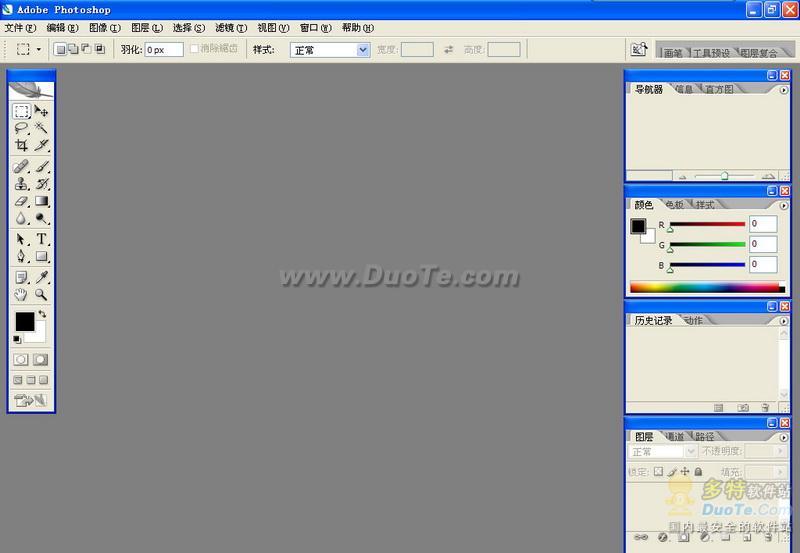
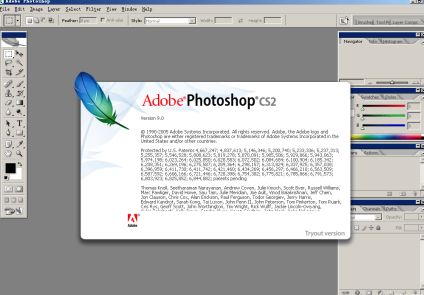
PS CS2 英文ç‰�(PhotoShop9.0英文ç‰�)免费下载
�
文件大小ï¼�360.00 MB
更新时间ï¼�
2009-04-30软件类别:PS CS2 英文ç‰�
软件语言:简体中文ã€�
纯正的PS英文版免费下载,想学习英文PS教程的可以用这个
New Features of Adobe Photoshop CS2 :
· Timesaving file handling with Adobe Bridge
Simplify file handling with Adobe Bridge, the next-generation File Browser, where you can process multiple camera raw images at once; resize, rate, and label thumbnails; quickly review images in Slideshow mode; search metadata; and more.
· Multitasking
Take advantage of compact floating mode in Adobe Bridge to process images while simultaneously working in Photoshop CS2 or other CS2 applications.
· Viewing options
Easily browse your Adobe Creative Suite and other graphics files in Adobe Bridge; present your images with features like Slideshow and Filmstrip mode; scale thumbnails to any size using a slider; and view and edit metadata.
· Automated batch processing
Automatically process batches of images in Adobe Bridge to rename, convert format, adjust exposure, create a Web gallery or Adobe PDF Presentation, and more.
· Rating and labeling
Quickly rate and label photos in Adobe Bridge so you can instantly bring up your best shots.
· Sophisticated search
Easily find any image using sophisticated search capabilities in Adobe Bridge that let you specify a variety of parameters. Save searches as Collections that you can recall anytime.
· 32-bit High Dynamic Range (HDR) support
Create and edit 32-bit images, and combine multiple exposures into a single, 32-bit image with expanded range � from the deepest shadows to the brightest highlights.
· Shadow/Highlight correction
Quickly improve the contrast of over- or underexposed areas of an image, including CMYK images, while preserving the overall balance of the photo.
· Revolutionary Vanishing Point
Achieve amazing results in a fraction of the time with the groundbreaking Vanishing Point, which lets you clone, paint, and paste elements that automatically match the perspective of the surrounding image area.
· Image Warp
Easily create packaging mock-ups or other dimensional effects by wrapping an image around any shape or stretching, curling, and bending an image using Image Warp.
· Spot Healing Brush
Effortlessly retouch photos � including 16-bit images � in a single click with the advanced power of the new Photoshop CS2 Spot Healing Brush.
· One-click red-eye correction
Instantly neutralize red eyes with the one-click red-eye correction tool, which supports 16-bit images and lets you set pupil size and darkening level.
· Optical lens correction
Easily correct common lens distortions, such as barrel and pincushion, and fix chromatic aberrations and vignetting.
· Smart Sharpen
Easily counteract common image blurring with fine correction control based on the specific blur types: motion, lens, and Gaussian.
· Camera raw workflow enhancements
Process an entire photo shoot in a fraction of the time by simultaneously adjusting color, curves, cropping, and more � and continue working in Photoshop! With support for a comprehensive range of digital cameras, Photoshop CS2 lets you automatically adjust settings, convert to Digital Negative (DNG) format, and apply nondestructive edits to batches of images.
· Special effects filters
Achieve amazing results with more than 95 special effects filters. Easily preview and apply more than one filter at a time from the Filter Gallery.
· Advanced noise reduction
Polish digital photos with advanced noise correction in high-ISO shooting plus JPEG artifact reduction.
· Web animations
Quickly create dynamic GIF animations � using one or more images � directly within Photoshop CS2 by taking advantage of the new Animations palette and layer palette animation options.
≡★ 下 载 说 明 ★≡
为了保证您能快速的下载,请使用 迅雷 下载本站资源ï¼�不要使用360直接下载文件,容易出现不能解压的错误ï¼�
请使ç”�WINRAR解压资源文件,其他工具不能保证能完全解压ï¼�
请游å®�尽量避开高峰时段下载ï¼�高峰时段11:00-12:00 15:00-17:00,空闲时æ®� 18:00-次日8:00
本站的资源主要有psd模板、图片、矢量素材、插件软ä»�四类;资源文件的格式主要æœ�.psd .jpg .ai .cdr .eps .ttf等六ç§�
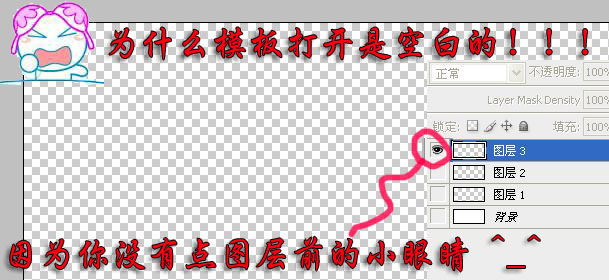
psd模板文件需要用PhotoShop软件打开编辑,如果发现打开的文件是空白,请点击图层前面的小眼睛,把隐藏的图层打开
矢量素材格式主要æœ�.ai .cdr .eps等三种格式,.ai .eps用Illustrator打开 .cdr用CorelDraw
.cdr文件的版本很多,高低版本之间的兼容性不是很好,请尽量使用正确的CorelDraw版本打开指定格式çš�.cdr文件
站内素材文件均整理自互联网,仅供个人学习参考使用,请勿用于商业用é€�
站内资源除部分为本站原创外皆由网上搜集和整理,若无意中侵犯到您的权利,敬请告之,我们将在48小时内删除ã€�